> For the complete documentation index, see [llms.txt](https://doc.tureservaonline.app/llms.txt). Markdown versions of documentation pages are available by appending `.md` to page URLs; this page is available as [Markdown](https://doc.tureservaonline.app/integraciones/eventos-en-google-calendar.md).

# Eventos en Google Calendar

Sabias que podés configurar que datos van a aparecer en el evento en tu google calendar que se genera cada vez que te reservan un turno? Te lo explicamos a continuación! 😎

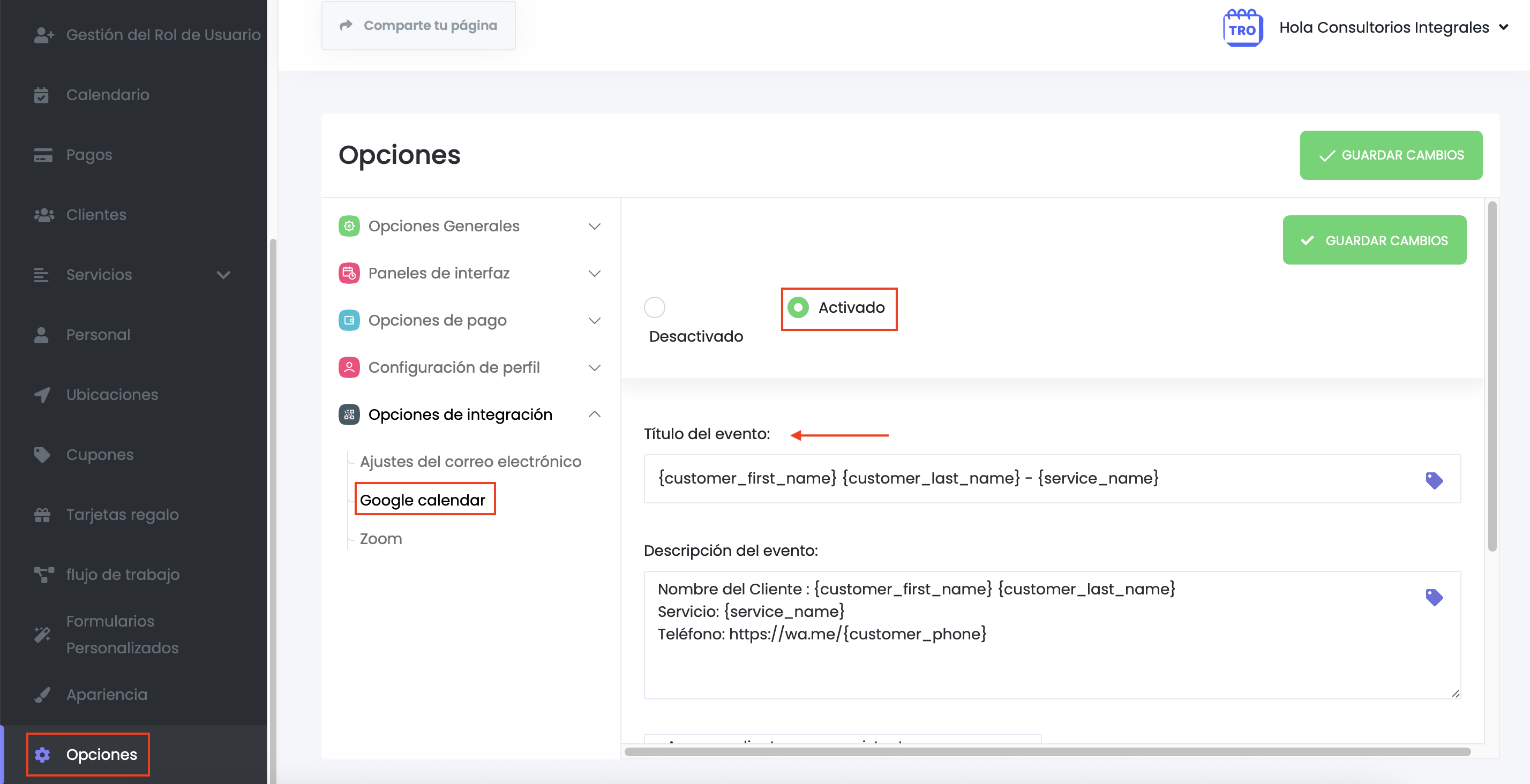
Primero vamos a las **OPCIONES** y luego **OPCIONES DE INTEGRACIÓN.**

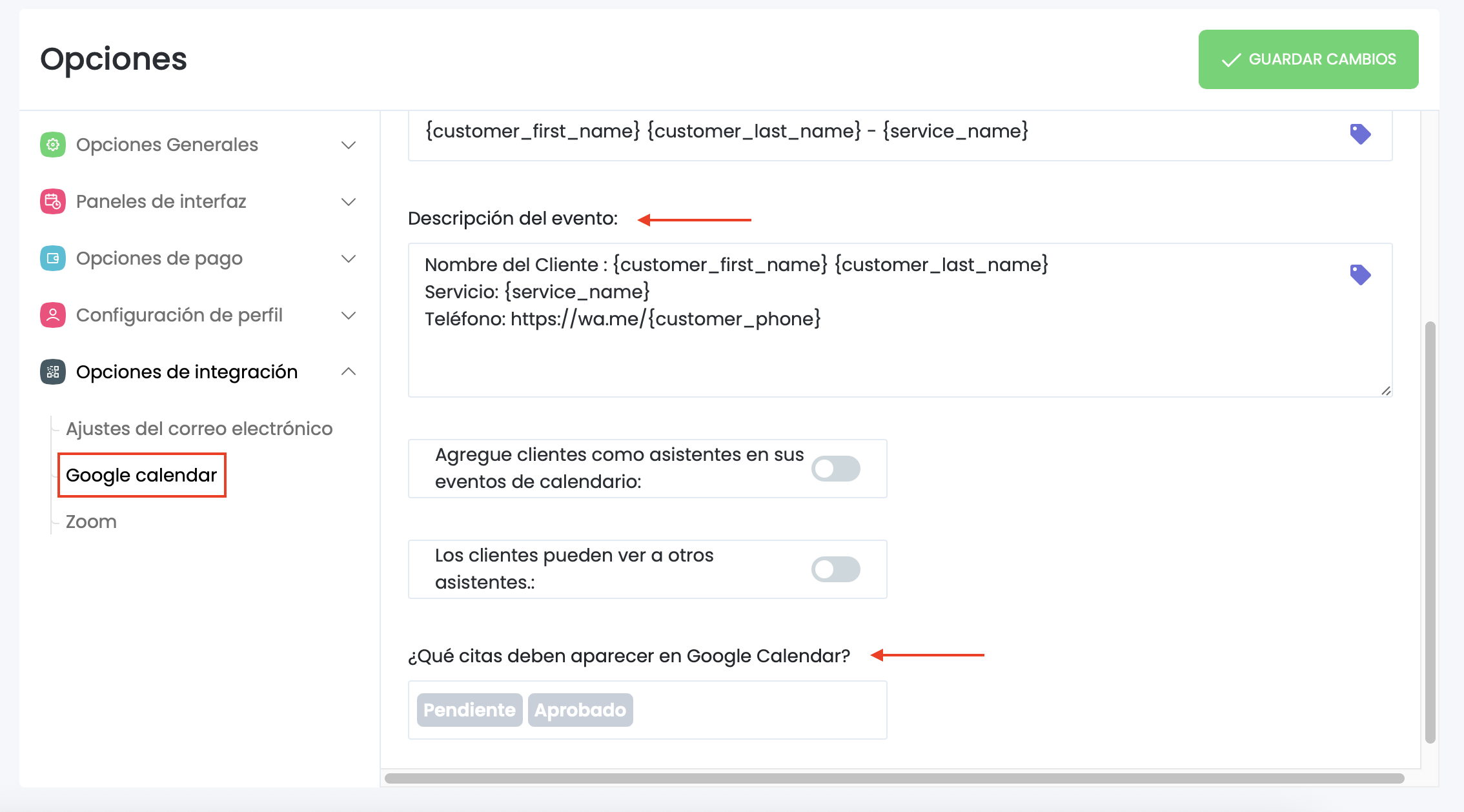
Luego seleccionamos **Google Calendar** y ahi se abre la pantalla para que podamos configurar no solo el título y cuerpo del evento sino también que tipos de turnos queremos que se muestren (solo los aprobados, los pendientes, podemos mostrar también los turnos cancelados, o bueno lo que uno prefiera).

<figure><img src="/files/WA8Mmj3M4NhkBVaco32u" alt=""><figcaption></figcaption></figure>

<figure><img src="/files/xZr7nokiC0skP6B79pYl" alt=""><figcaption></figcaption></figure>

{% hint style="info" %}
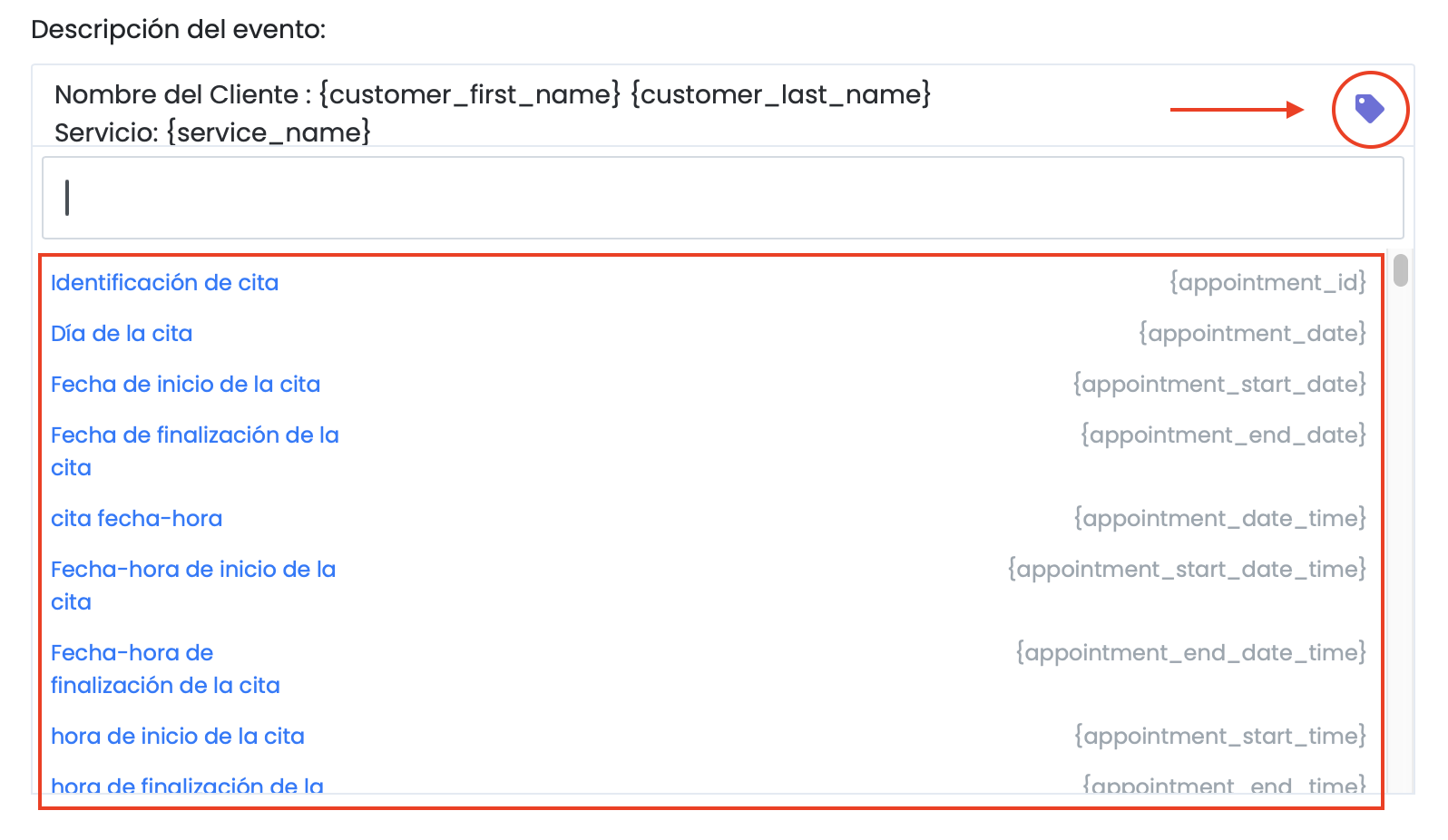
Como pueden ver en las capturas, hay estructuras del tipo {customer\_name} o {service\_name}, etc. Son **etiquetas dinámicas**, simplemente uno las elige haciendo click en la etiqueta violeta y esto muestra los datos del cliente y su reserva.
{% endhint %}

<figure><img src="/files/y3Bz9eKKYoI0bnR6b8FE" alt=""><figcaption><p>Como podemos ver, al hacer click en la etiqueta violeta se despliéga una lista de todaos aquellos datos dinamicos que podremos elegir para ver en nuestro Google Calendar.</p></figcaption></figure>


---

# Agent Instructions
This documentation is published with GitBook. GitBook is the documentation platform designed so that both humans and AI agents can read, navigate, and reason over technical content effectively. Learn more at gitbook.com.

## Querying This Documentation
If you need additional information that is not directly available in this page, you can query the documentation dynamically by asking a question.

Perform an HTTP GET request on the current page URL with the `ask` query parameter, and the optional `goal` query parameter:

```
GET https://doc.tureservaonline.app/integraciones/eventos-en-google-calendar.md?ask=<question>&goal=<endgoal>
```

`ask` is the immediate question: it should be specific, self-contained, and written in natural language.
`goal` is optional and describes the broader end goal you are ultimately trying to accomplish on behalf of the user. GitBook uses it to tailor the answer towards what is most useful for that goal.

The response will contain a direct answer to the question and relevant excerpts and sources from the documentation.

Use this mechanism when the answer is not explicitly present in the current page, you need clarification or additional context, or you want to retrieve related documentation sections.